Capstone Project — UX/UI Design for Hotel Property Management Systems
Role: UX/UI Designer
Context: University Capstone Project
Tools: Figma
Year: 2025
Project Context
StayComm is a conceptual web-based property management system designed as my final capstone project. The system is grounded in my own experience working with hotel property management systems (PMS), where I regularly performed tasks such as booking reservations, checking guests in and out, managing room availability, and handling last-minute changes during high-pressure shifts.
The project explores how PMS software can be redesigned to prioritize clarity, task efficiency, and human usability, without sacrificing operational complexity.
Problem Definition
From firsthand experience, I identified consistent usability issues across existing PMS platforms:
- Interfaces overloaded with dense tables and low visual hierarchy
- Task flows spread across multiple screens
- Poor feedback after completing critical actions
- Minimal differentiation between staff and guest experiences
StayComm reframes these issues by designing a task-centered system with explicit role separation and clear system feedback.
Design Goals
- Reduce cognitive load for high-frequency hotel tasks
- Design role-specific interfaces for Agents and Guests
- Consolidate workflows into fewer, clearer screens
- Provide explicit feedback at every system state
Role-Based System Architecture
A core design decision was separating the application into two primary roles:
- Agent (staff-facing PMS interface)
- Guest (self-service booking interface)
Each role was designed independently to reflect real-world hotel workflows.
Agent Dashboard & Daily Operations Overview
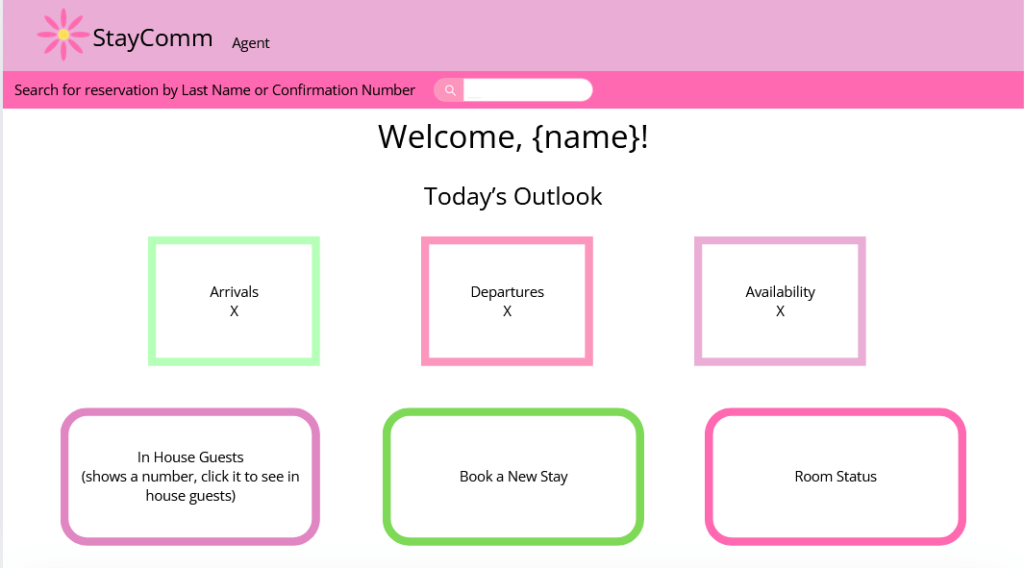
The agent dashboard acts as a central operational hub, similar to dashboards I used during front desk shifts.
Key features include:
- Global reservation search by last name or confirmation number
- Daily overviews for arrivals, departures, and availability
- Immediate access to high-frequency tasks
The layout prioritizes speed, visibility, and reduced navigation depth.
Arrival Management & Guest Check-In Flow
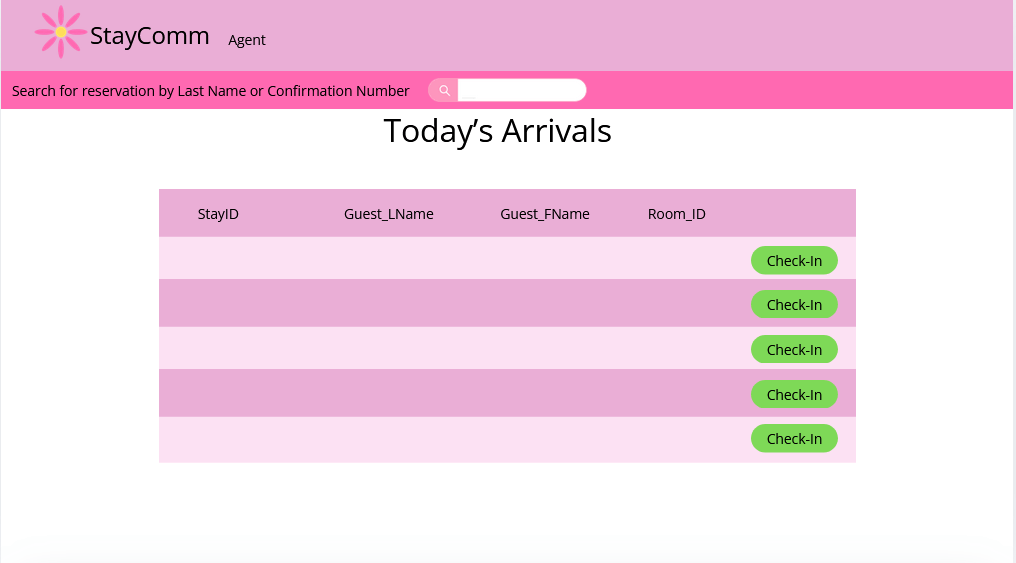
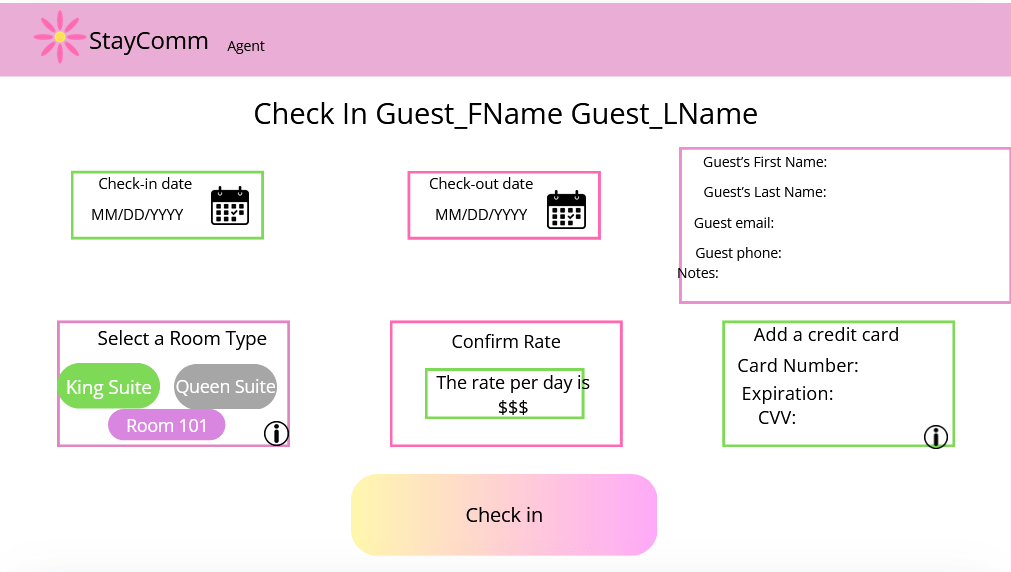
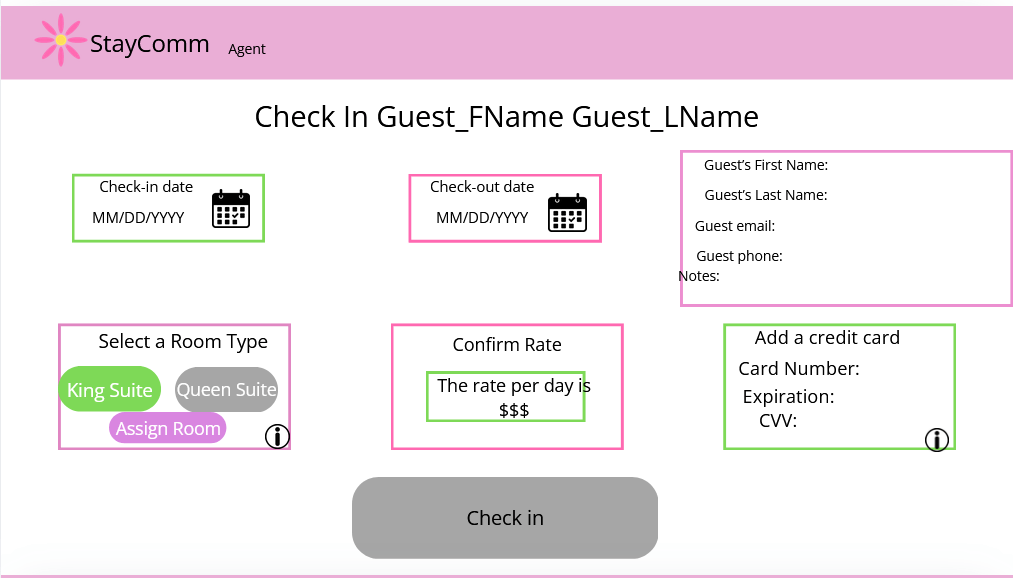
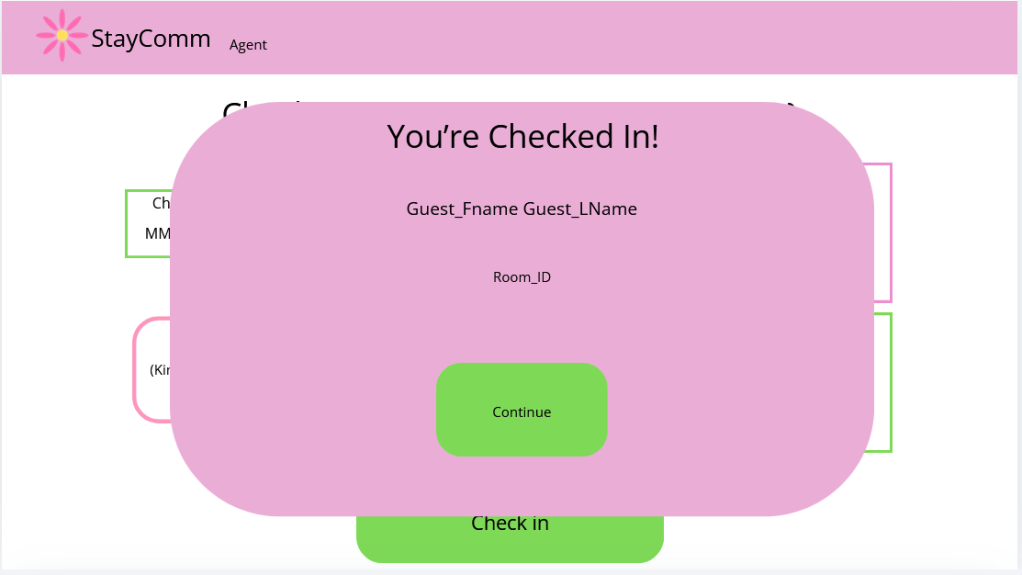
The arrivals screen lists guests scheduled to arrive that day, with a single “Check-In” entry point per guest.
The check-in flow:
- Keeps all required information on one screen
- Allows room assignment, rate confirmation, and payment entry together
- Enables completion only when required steps are fulfilled
This reduces screen switching and mirrors how agents mentally group tasks during check-in.
In-House Guest Tracking
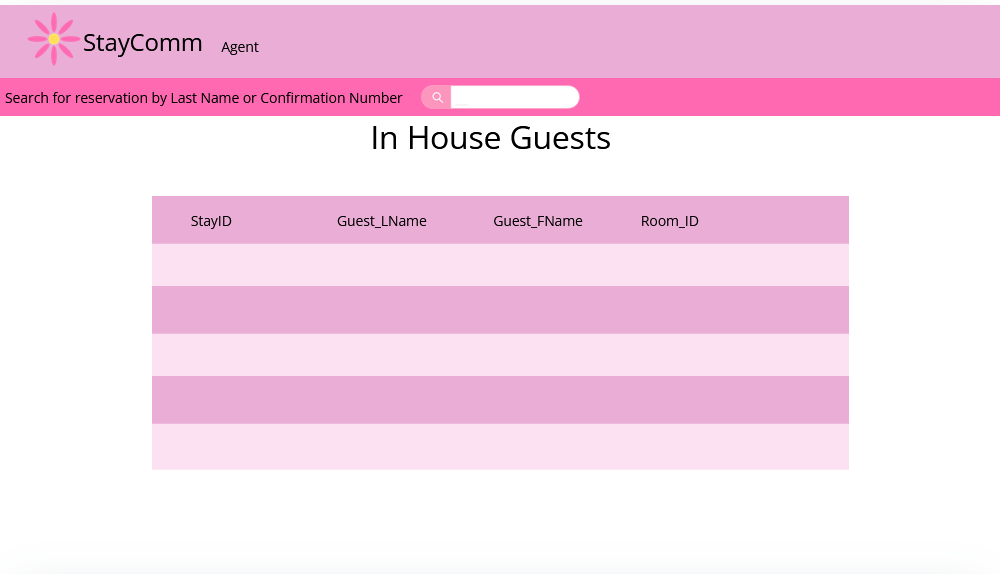
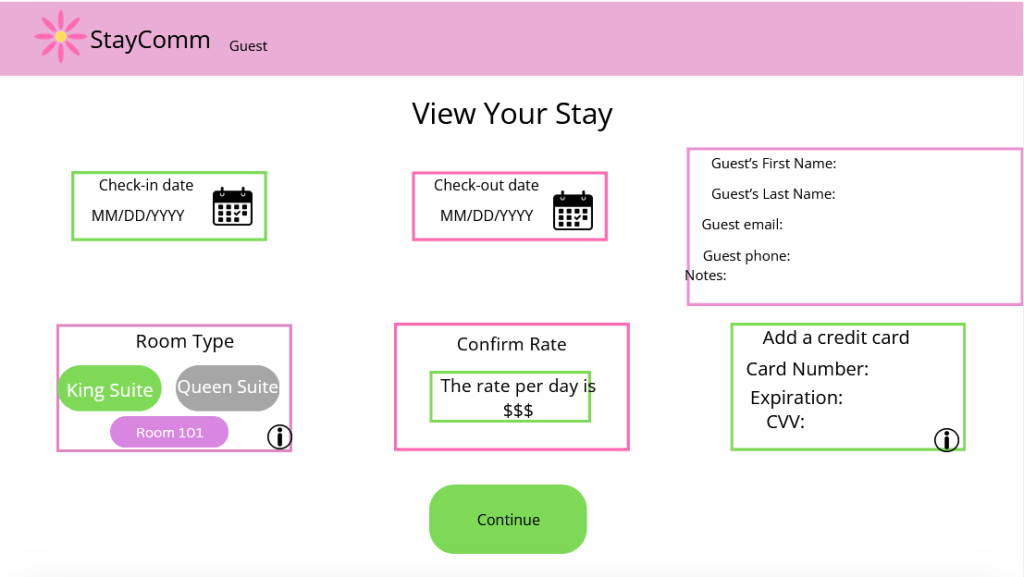
Once checked in, guests appear in the In-House Guests view.
This screen provides:
- A real-time overview of currently occupied rooms
- Quick access to guest records if issues arise
This reflects real PMS usage, where agents often need to confirm occupancy at a glance.
Departure Management & Guest Check-Out
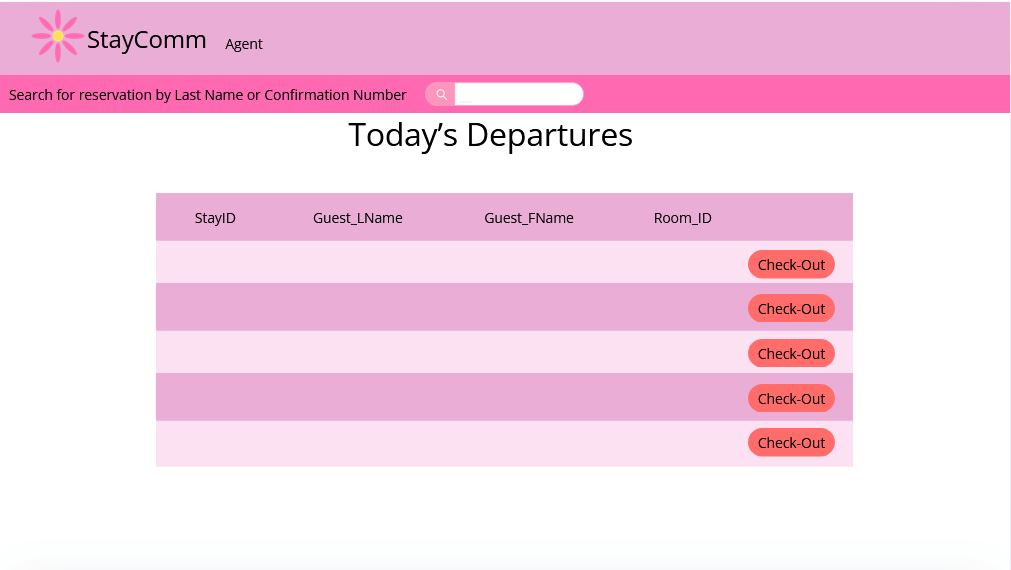
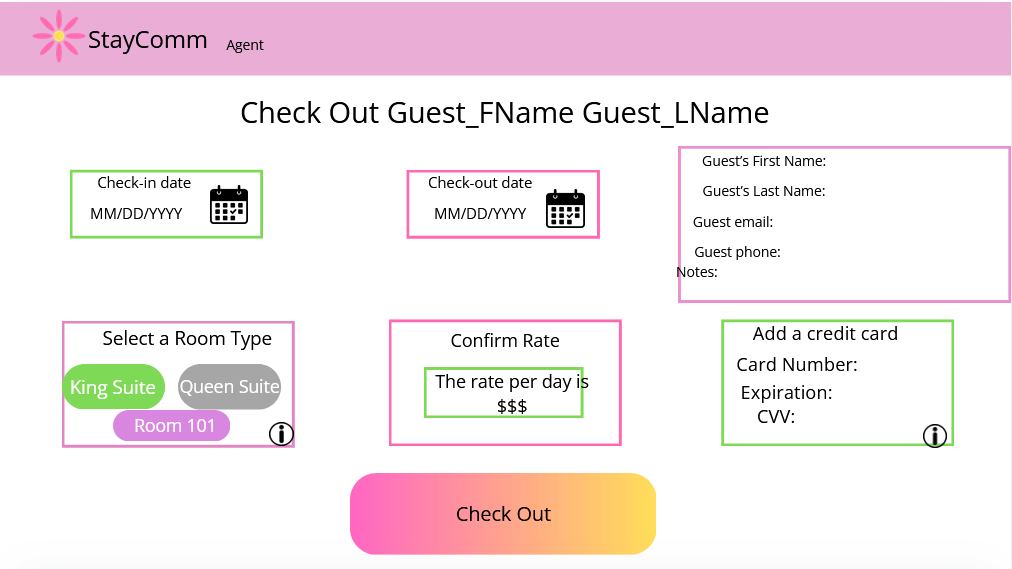
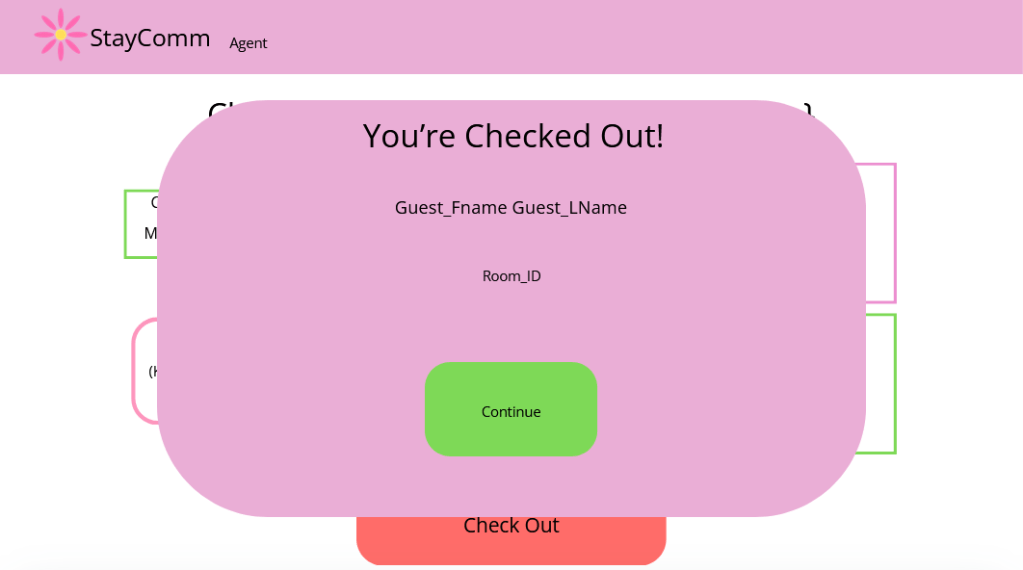
Departures are handled through a dedicated view similar to arrivals.
The check-out process:
- Confirms stay details before action
- Uses a clearly differentiated call-to-action
- Ends with explicit confirmation messaging
This reduces uncertainty and prevents accidental actions during busy departures.
Room Management & Housekeeping Status
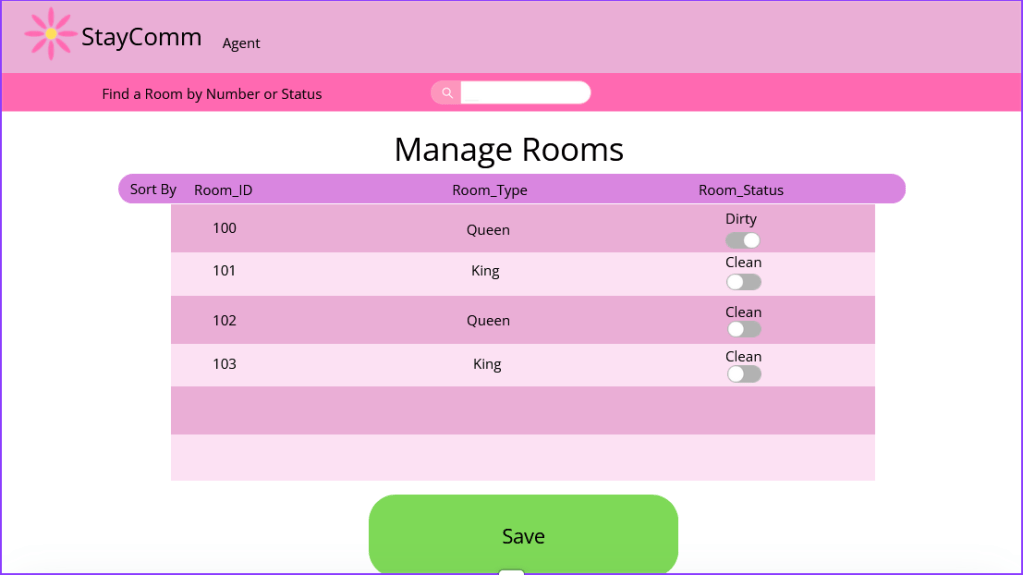
The Manage Rooms screen allows agents to:
- View room numbers and types
- Toggle housekeeping status between clean and dirty
- Save changes explicitly
This screen reflects the coordination required between front desk and housekeeping — an area where unclear PMS interfaces often cause friction.
Reservation Search & Editing
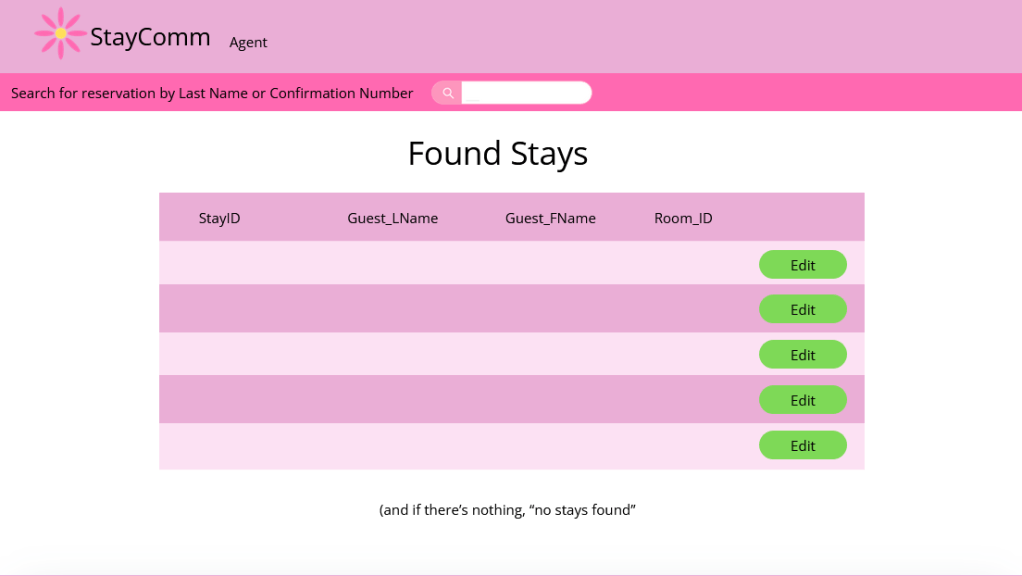
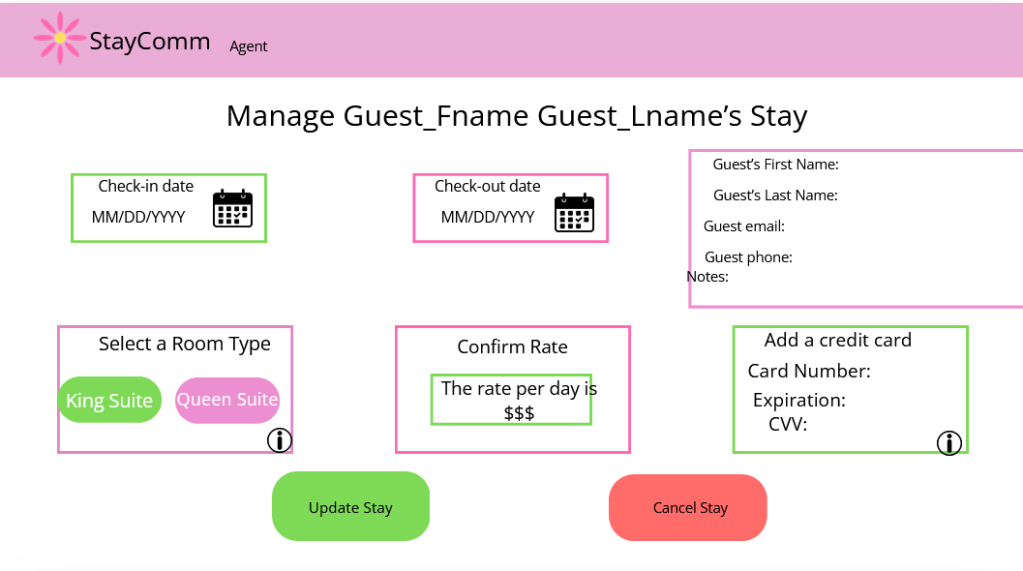
Agents can search reservations globally and edit stays from a single management screen.
Supported actions include:
- Updating dates
- Changing room type
- Editing guest details
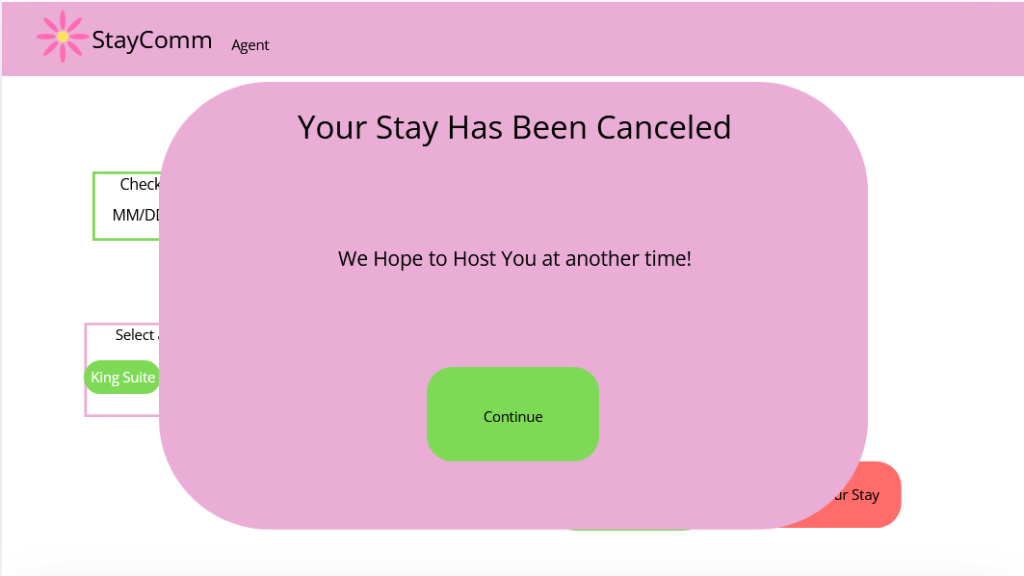
- Cancelling stays
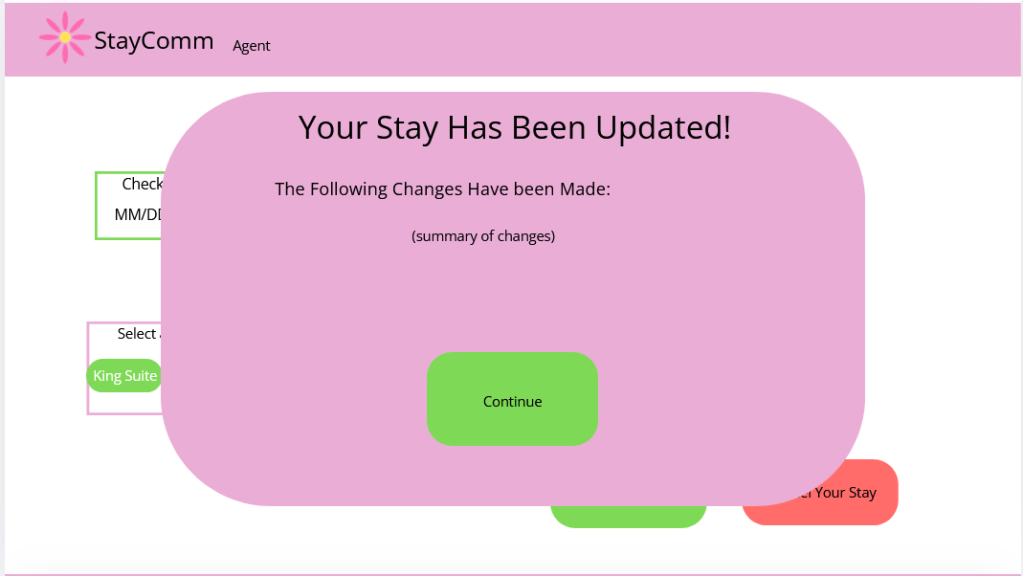
All updates conclude with a summary confirmation modal, reinforcing system transparency.
Guest Facing Experience
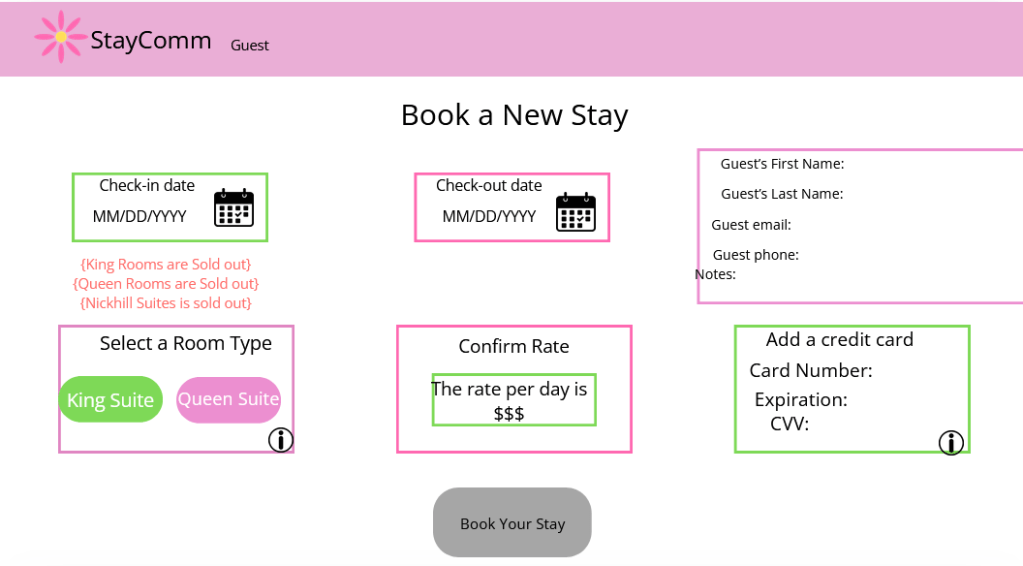
The guest interface is intentionally minimal, surfacing only relevant actions:
- Book a new stay
- View current stay (only when applicable)
- View upcoming stays
During booking:
- Availability constraints are clearly communicated
- Sold-out room types are disabled with explanatory messaging
- Rates are visible before commitment
This reduces frustration and mirrors best practices from consumer booking platforms. These screens purposely mirror those of the Agent view of the application to optimize reusable components.
Feedback, Confirmation, & System States
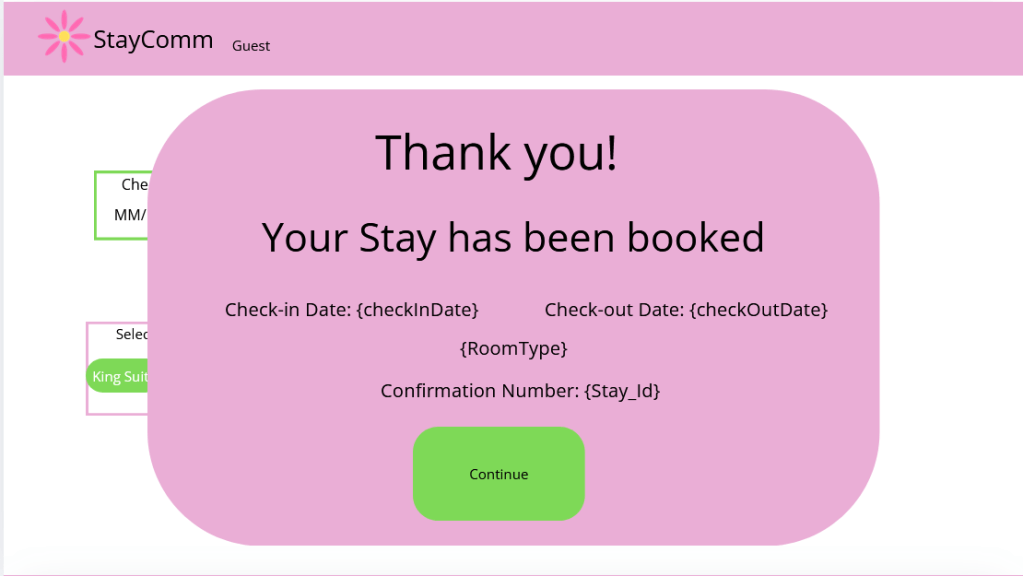
System feedback was treated as a core UX component.
Each critical action results in:
- Clear confirmation language
- Visible summary of what changed
- A single next step
This addresses a common PMS failure point where users are left unsure if an action was successful.
Authentication & Entry Point
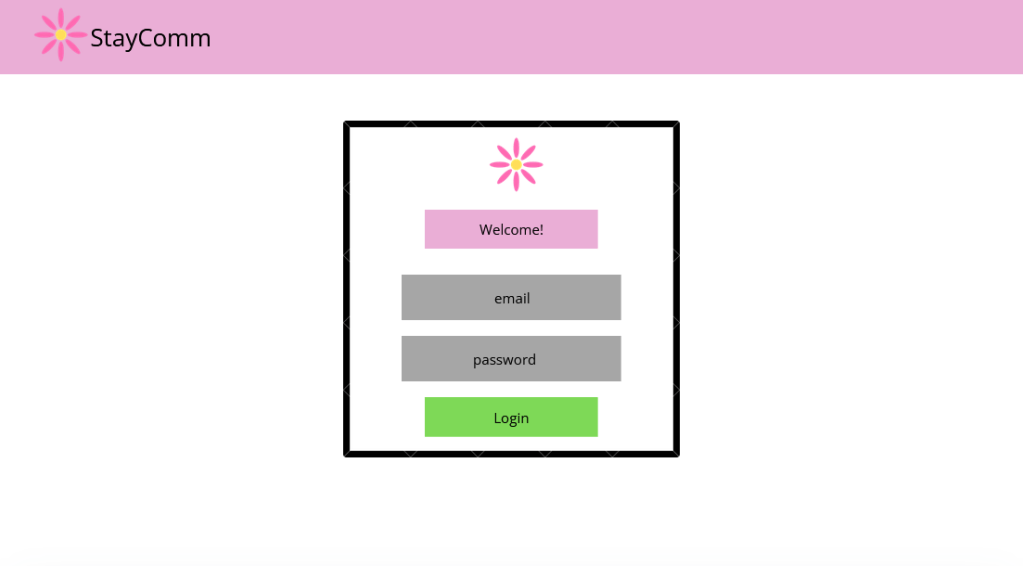
The login screen is visually restrained and consistent with the rest of the interface, acting as a neutral gateway rather than a distraction
Visual Language & Usability
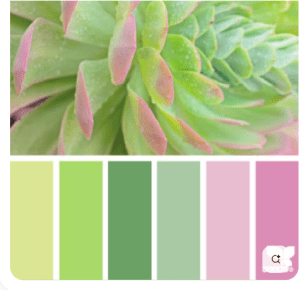
The visual system prioritizes:
- Soft color contrasts for prolonged use
- Rounded containers to group related actions
- Consistent component styling to improve learnability
This consciously contrasts with many real PMS platforms that rely on dense grids and low-contrast layouts.
Reflection
Designing StayComm allowed me to translate real operational experience into a structured UX case study.
Key takeaways:
- Operational systems benefit significantly from UX-led restructuring
- Reducing navigation depth improves speed and confidence
- Clear system feedback is critical in high-stakes environments
StayComm demonstrates my ability to design for complex, real-world workflows while keeping usability at the center of the system.
Skills Demonstrated
- UX analysis grounded in lived experience
- Role-based interface design
- Complex workflow mapping
- Interaction and state design done in Figma
- Capstone-level documentation done in Trello
 Michaela Sallese